For field owners
Online bookings built around your dog field.
Let customers book and pay online, with your opening times, field rules and arrival details together. Keep your existing website and add a booking link or availability widget.
Standard has no monthly subscription. DogFieldHQ collects 20p when a customer successfully pays for an online booking. You can cover the 20p yourself or add it to the customer's total. Stripe processing charges are separate and are paid by you.
Bookings
Dog, customer and field details together
Payments
Stripe status and booking fees visible
Website embeds
Links, buttons and availability widgets
Product preview · demonstration data
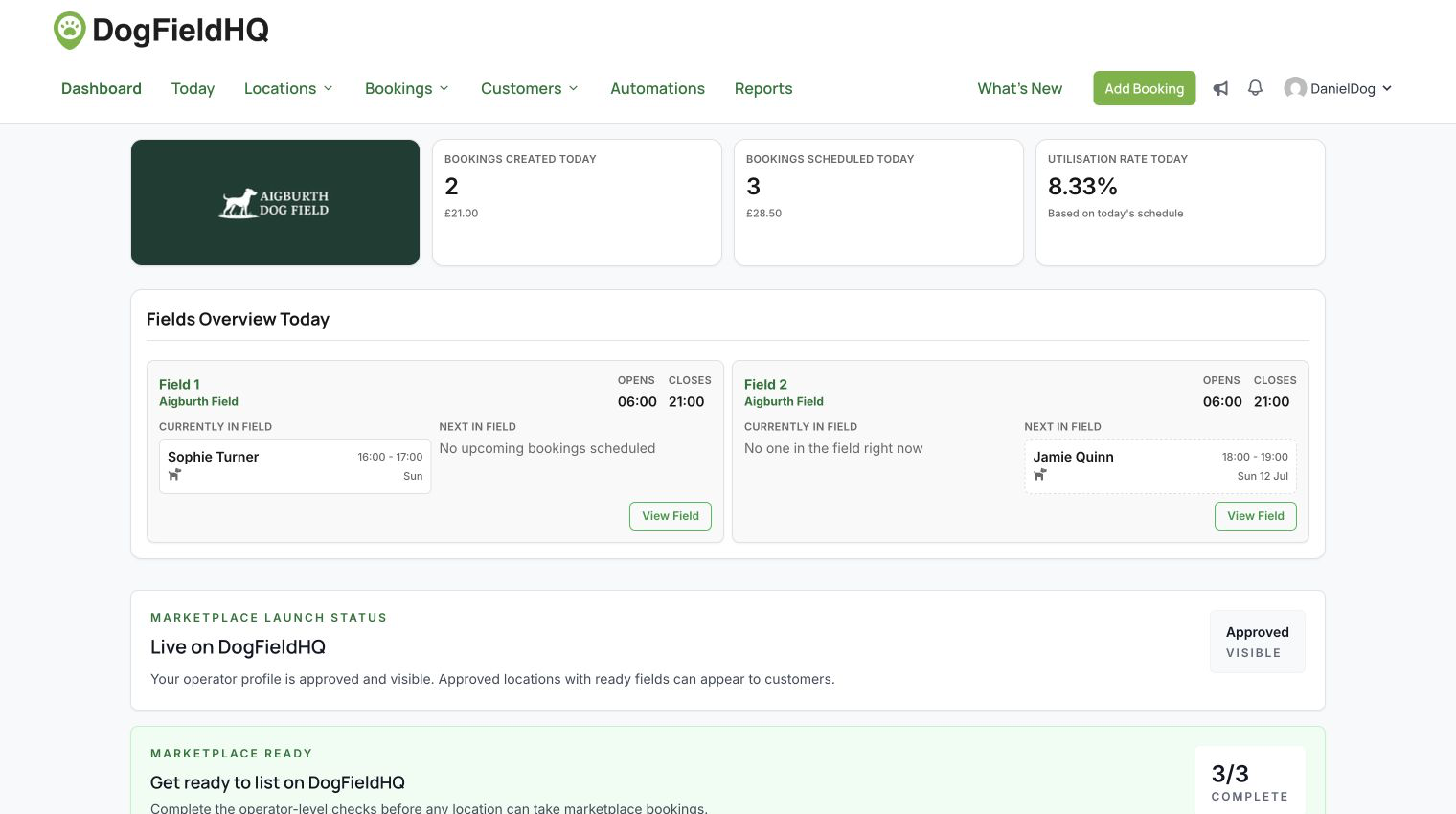
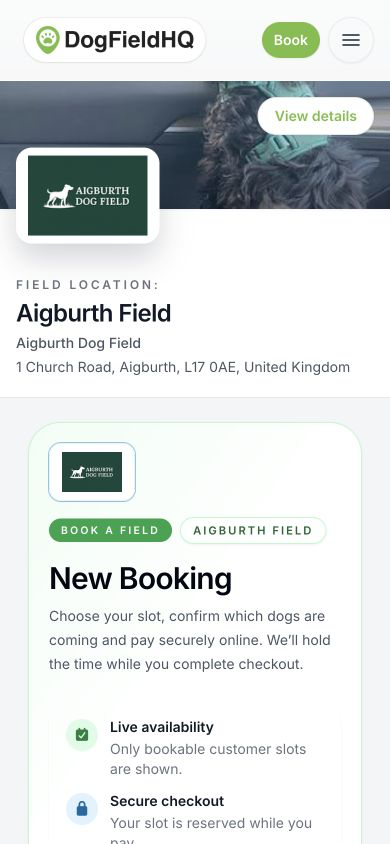
Clean booking records
Every visit includes time, payment, customer, dogs and field context.
Use your existing website
Copy a link, button or availability widget into the places customers already visit.
Manage changes
Set opening hours, seasonal availability and closures around your field.
Why DogFieldHQ exists
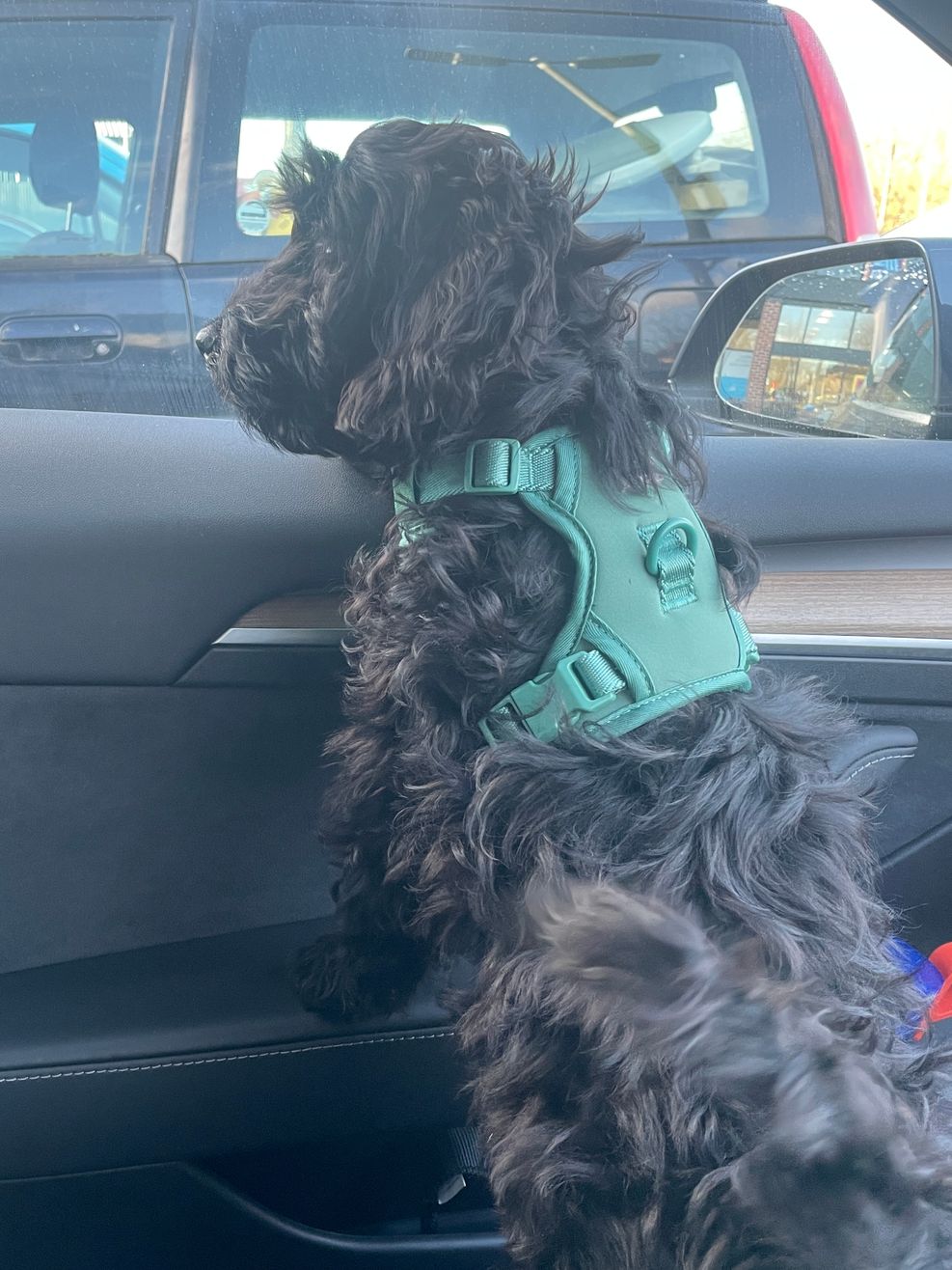
It started with booking fields for Monty.
I’m Daniel, the founder of DogFieldHQ. Booking fields for Monty made me want a clearer way to find a slot and prepare for a visit.
Customers end up digging through emails, notes and old booking confirmations for basic information: padlock codes, arrival instructions, parking details, field rules, or whether the field is actually suitable for their dog.
That is why DogFieldHQ keeps the practical field-owner details together: dogs on the booking, customer history, access notes, availability, payments and the field guidance customers need before they arrive.
Why it is different
Built around the way secure dog fields actually run.
See who is coming, give customers the details they need before arrival, and handle availability and booking changes in one place.
Availability that fits a field
Choose session lengths and prices, weekly hours, advance limits, booking notice, turnaround buffers, seasonal changes and closures.
Payments and refunds
Take online payments through Stripe Connect, see payment and fee detail, and manage full or partial refunds from the booking.
Customer and dog records
Keep dogs, birthdays, customer spend, booking history, activity notes and sent emails in one searchable place.
Website links and embeds
Send customers from your website, social pages or an embedded availability picker.
The working day
See who is booked, who is in the field, what is coming next, payment holds, closures and cancellation requests.
Growth and reporting
Use discount codes and opt-in customer journeys, then track revenue, average order value, utilisation and demand.
Marketplace readiness
Build branded location and field listings, complete the readiness checks and publish them when ready.
Website booking
Let customers book from the website you already have.
DogFieldHQ does not force field owners to rebuild their website. Add a simple link, paste a ready-made button, or embed a live availability picker that sends customers into the secure booking flow.
Direct booking link
Use one URL behind your website buttons, social profiles, customer emails or messages.
Ready-made buttons
Copy a Book now or Check availability button without designing one from scratch.
Availability widget
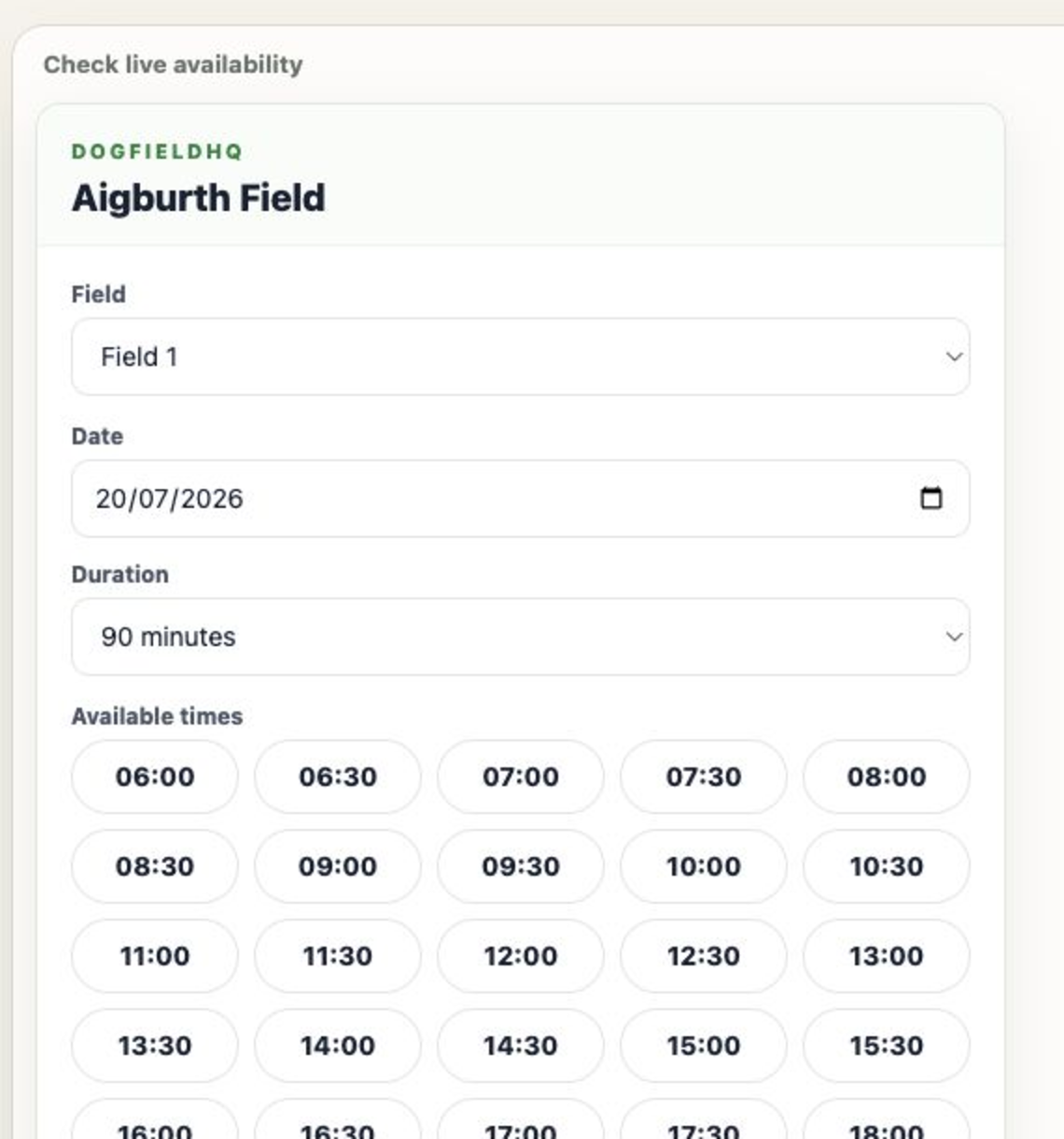
Show field, date, duration and available slots before customers continue to DogFieldHQ.
See it in context
See how DogFieldHQ fits into a field owner’s own website.
Explore the fictional Aigburth Dog Field example website. The screenshots below show how website availability and the booking journey fit together.
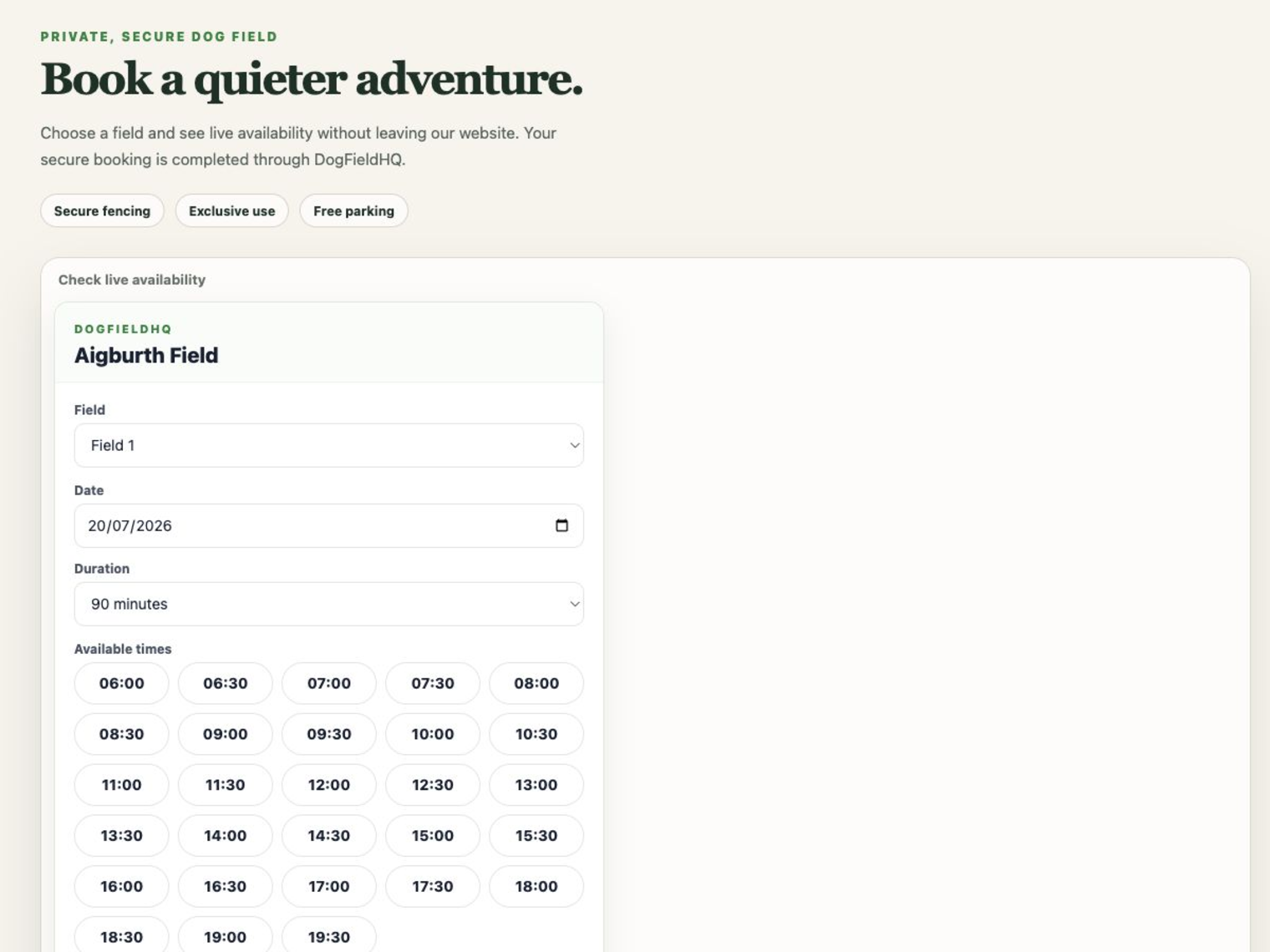
On your website
Availability inside your existing website
Customers can see the picker in context, without your website having to look or feel like DogFieldHQ.
Day picker
Live dates, durations and available slots
The widget hands customers into the secure booking flow once they choose an available time.
Inside the platform
A feel for the admin tools and customer booking journey.
These product screenshots show demonstration data, including fictional fields and sample bookings. Start with the booking record and customer journey to see how it could fit your field.
Field owner desktop · demonstration data
Dashboard overview
A quick view of bookings, field status, marketplace readiness and recent activity.
Field owner desktop · demonstration data
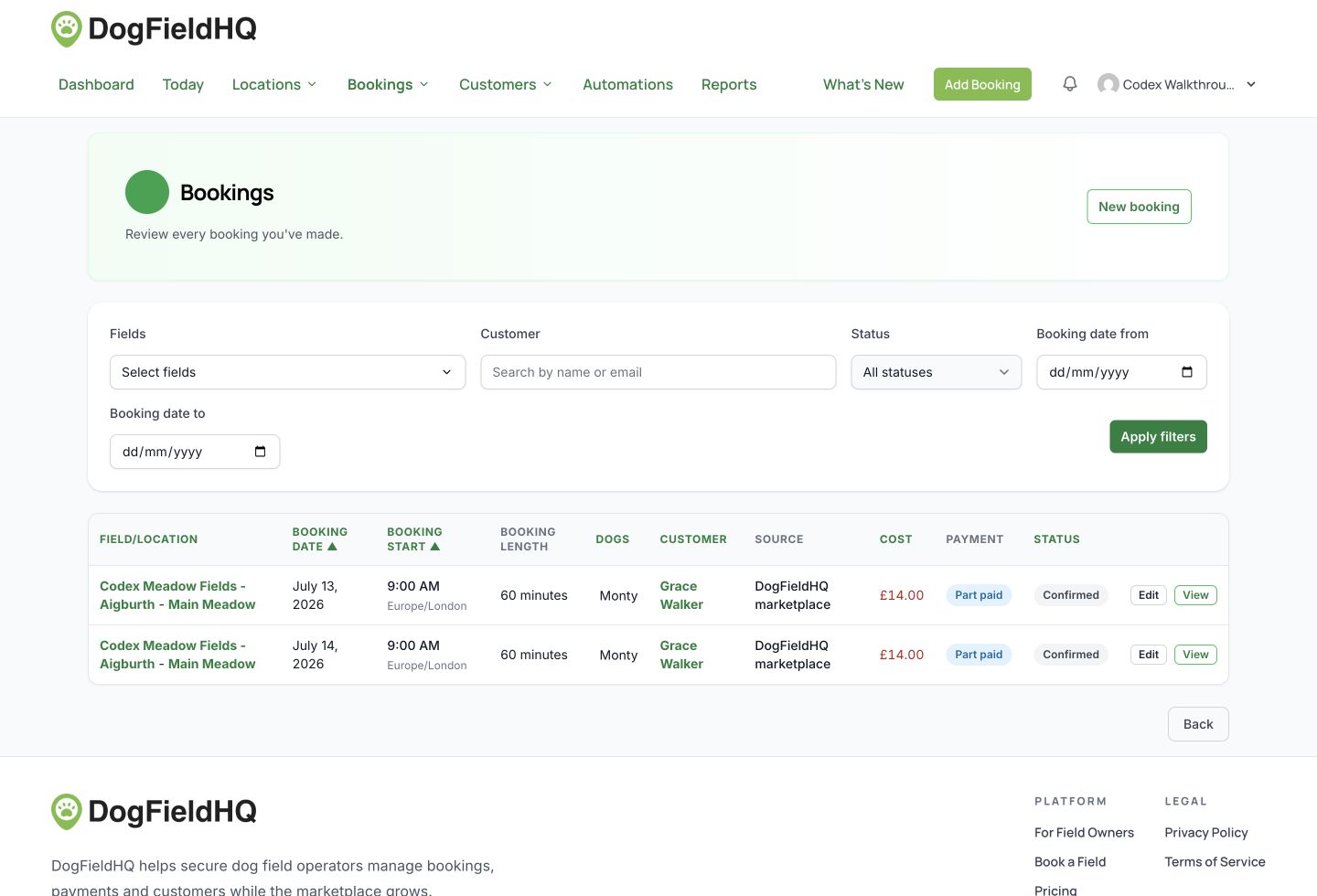
Bookings workspace
Bookings keep the field, dog, customer, payment and status details together.
Field owner desktop · demonstration data
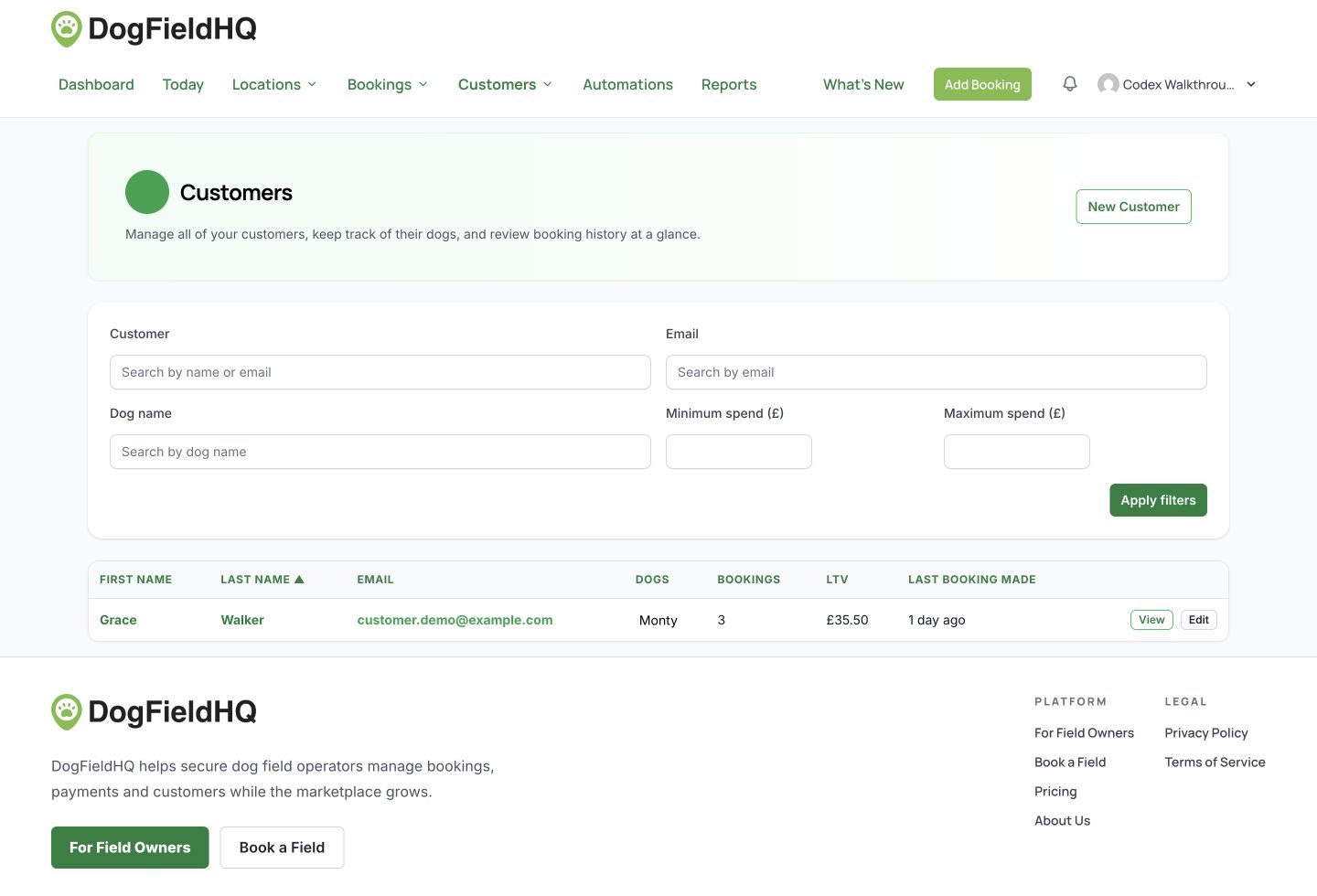
Customer and dog records
Customer records sit alongside dogs, spend, booking history and practical filters.
Customer mobile · demonstration data
Branded booking flow
Customers see field branding, choose a slot, select dogs and pay securely from mobile.
Customer mobile · demonstration data
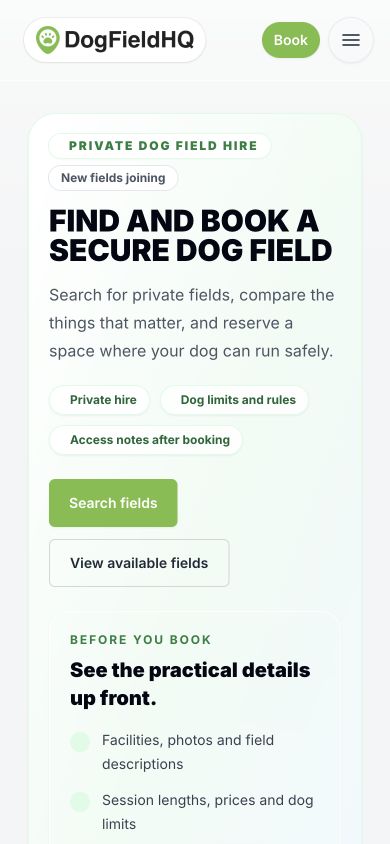
Field discovery
The customer frontend is mobile-first, with private hire details clear before booking.
Already using a booking system?
Plan the change before you move your booking link.
Set up and preview first
Add your business, location, field, hours and prices in your account. The location page has a temporary customer-view preview link. It previews the listing; it is not a test checkout, and bookings open only after the setup checks are complete and you publish.
Agree when bookings can open
Complete the launch checklist and publish your ready operator profile and locations from the dashboard. Publication is immediate; setting up an account or sharing a link alone does not make a field bookable. Agree your opening date before publication.
Keep existing bookings accounted for
Bookings in your old system do not move automatically. Keep managing those visits there and block their times in DogFieldHQ using closures before opening availability. Stop the old system selling those same times; the two calendars do not synchronise.
Explain the change to regular customers
Customers can browse availability before signing in. To continue a booking they need a DogFieldHQ customer account and dog details. An account with your previous booking provider does not carry over.
Keep your website and field identity
Keep your own website and add a booking link, button or availability widget. Your logo and chosen colours appear in the DogFieldHQ booking journey. There is no automatic booking or customer import from another provider.
Plan for leaving, too
You can view booking and customer records in your account, but there is no self-service download of your full booking and customer data. Before closing an account, contact hello@dogfieldhq.co.uk to discuss data access and outstanding visits. Removing your website link alone does not unpublish a listing.
Ready to move bookings across?
Set up your field and plan your first booking day.
DogFieldHQ is at an early stage. Daniel is inviting field owners to try it and give feedback. Start with your existing customers; marketplace discovery depends on participating fields and is not a promise of new bookings.